
Last Updated 2 months ago by Kenya Engineer
Public prices in this article were checked on 18 August 2026. They are representative list prices before tax, quoted in the vendor’s displayed currency. Kenyan prices, reseller terms, exchange rates and promotions will differ. “Quote” means the vendor did not publish a dependable list price for the relevant commercial licence.
An engineer rarely buys a program in isolation. A drawing has to reach a fabricator. A structural model has to produce calculations that can be checked. A road alignment has to accept survey data and feed quantities. A control design may need to move from equations to simulation and then to embedded code. The real purchase is therefore a workflow—not an icon on a desktop.
That distinction matters because the most expensive application can be the cheapest choice when it prevents rework, fits the client’s file standard and is supported locally. A free package can be the better tool when its methods are transparent and the team has the skill to validate and maintain the workflow. It can also become costly if staff spend billable days repairing file conversions, managing dependencies or recreating a function that a commercial licence would have provided.
The useful question is not, “Which software is most popular?” It is, “What engineering work must move reliably from input to approved output?”
Begin with the engineering output
Before comparing brands, define six things.
- The deliverable. Is the final output a DWG drawing, an IFC model, a signed calculation report, a protection-coordination study, a manufacturing toolpath, a process flowsheet or a construction programme?
- The governing method. Does the work require a particular design code, material library, solver, audit trail or regulator-accepted calculation?
- The exchange chain. Which clients, consultants, contractors, fabricators and authorities must open the files—and in which versions?
- The deployment reality. Will the team work on powerful workstations, ordinary laptops, a browser, a private network or sites with unreliable connectivity?
- The assurance burden. Who verifies the model, controls templates, approves scripts, checks updates and preserves the record after the project closes?
- The whole-life cost. Add licence, tax, hardware, training, migration, support, plug-ins, cloud storage and the cost of downtime. The sticker price is only one line.
A good procurement process tests a representative live project before committing the whole office. It also keeps one rule above all others: software assists professional judgement; it does not inherit the engineer’s responsibility.
Drafting and general-purpose CAD
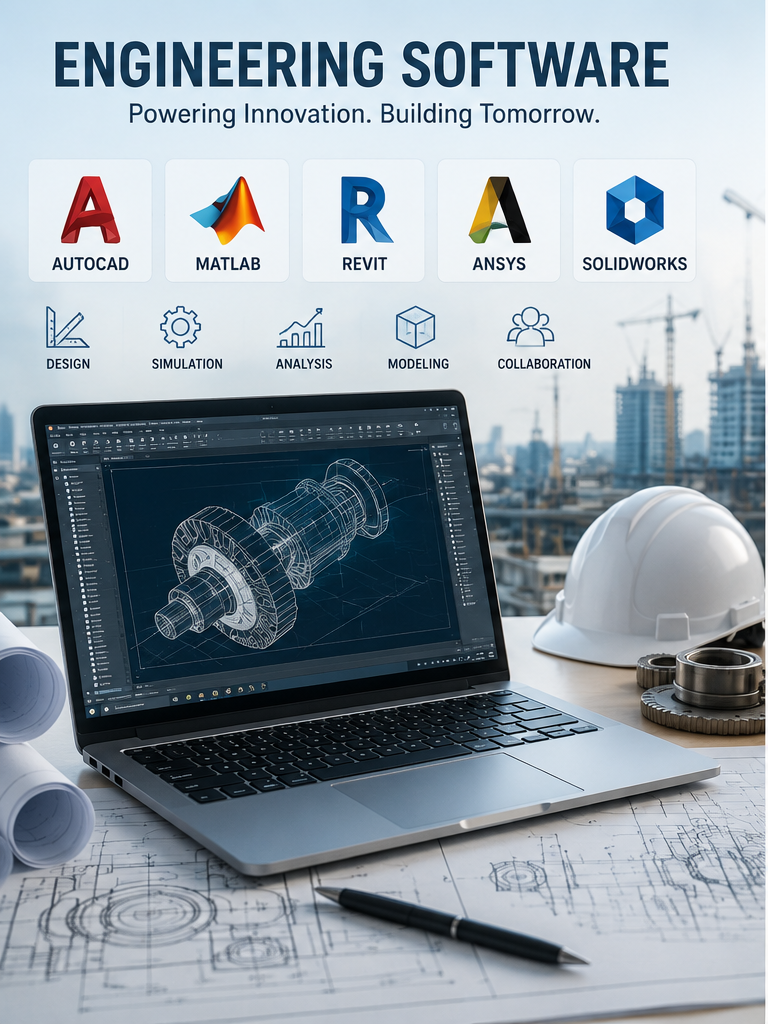
AutoCAD remains a common exchange point for 2D DWG work and provides 3D tools, web and mobile access, automation interfaces and seven specialised toolsets. That breadth—and the number of clients who expect its files and conventions—explains much of its staying power. It does not mean every drawing office needs the full licence.
DraftSight Professional is aimed at 2D DWG production and supports AutoLISP; Premium adds 3D modelling, parametric constraints and more advanced exchange functions. BricsCAD Lite and Pro are also direct-DWG options, with a familiar command environment, LISP support and subscription or perpetual licensing. LibreCAD is free and capable for straightforward 2D work, but it is a DXF-centred tool rather than a drop-in replacement for every complex DWG workflow.
| Option | Indicative public price | What it does especially well | What to check before switching |
| AutoCAD | US$2,095 per user/year | Broad 2D/3D CAD, specialised toolsets, APIs, web/mobile and the strongest client familiarity | Named-user cost; whether the office actually uses the specialised toolsets |
| DraftSight Professional / Premium | US$299 / US$599 per year | Lower-cost DWG drafting; Premium adds 3D, constraints and Sheet Set tools | Behaviour of complex blocks, custom routines, fonts, references and plotting standards |
| BricsCAD Lite / Pro | From €330 / €710 per year | Direct DWG workflow, LISP, familiar commands and perpetual options | Local support, plug-in compatibility and the exact regional/seat terms |
| LibreCAD | Free and open source | Lightweight 2D drafting without licence fees | DXF rather than full high-end DWG parity; no BIM or production-grade 3D workflow |
The sensible test is not whether a sample file opens. It is whether ten real project files survive a full round trip with title blocks, external references, coordinates, fonts, lineweights, attributes, plotting and custom automation intact.
Buildings and multidisciplinary BIM
Revit, Archicad and OpenBuildings Designer overlap, but they are not identical products in different colours.
Revit is strong where architects and structural and MEP teams author a coordinated building model inside the Autodesk ecosystem. Its families, schedules, worksharing and links to AutoCAD, Civil 3D and Autodesk’s common data environment make it a practical choice when the wider project team has already standardised on that platform.
Archicad is a mature BIM authoring alternative with an architecture-led workflow, BIMx model communication and, in the Collaborate plan, MEP Designer and BIMcloud services. Many users value its design interface and model navigation. OpenBuildings Designer is particularly relevant where a building forms part of a larger Bentley infrastructure environment; it combines multidisciplinary BIM with analysis and digital-delivery connections used on complex facilities and campuses.
Public list prices illustrate the scale of the decision: Revit was US$3,005 per user/year. Graphisoft’s German store displayed Archicad Studio at €2,750 per seat/year and Collaborate at €3,100, with final prices dependent on billing country. OpenBuildings is sold by quotation.
Cost is not the only dividing line. A practice should test IFC exchange, object libraries, model federation, clash workflows, quantity rules, local content, rendering needs and the client’s common data environment. A nominally open format does not remove the need for a tested information-delivery plan.
Civil engineering, roads and land development
Civil 3D is more than AutoCAD with a few road tools. Its surfaces, alignments, profiles, corridors, pipe networks and survey functions are dynamically related, which can make design changes and documentation efficient. OpenRoads Designer offers a comparable model-based civil workflow in the Bentley environment, with strong road, rail, drainage, utilities and digital-delivery integration. Its commercial price is normally quoted.
These packages should not be confused with GIS. ArcGIS Pro and QGIS are excellent for spatial analysis, asset inventories, catchments, environmental constraints and map production; they do not replace the detailed geometric and documentation functions of Civil 3D or OpenRoads. In practice, a civil team may need both classes of tool.
Autodesk listed Civil 3D at about US$2,870 per user/year. QGIS is free and open source, while ArcGIS Pro is licensed through Esri user types and extensions, with the final annual cost depending on capability. For many smaller firms, the disciplined combination of a lower-cost DWG application, QGIS and a specialist design licence used only by the staff who need it can be more economical than placing every person on the same premium suite.
Structural analysis and design
Structural software is easiest to choose when the structure—not the brand—leads the decision.
ETABS is purpose-built around multi-storey buildings, storeys, diaphragms, lateral systems and building-code workflows. SAP2000 is the more general structural platform in the same CSI family, suited to a wider range of frames, shells and non-building structures. SAFE concentrates on slabs, mats and foundations. Bentley’s STAAD.Pro is another widely used general structural-analysis and design alternative, particularly where its code coverage and Bentley connections fit the office.
CSI publishes perpetual prices. At the time of checking, ETABS Plus was US$7,439 plus US$1,301 annual maintenance; SAP2000 ranged from US$2,977 for Basic to US$17,855 for Ultimate; and SAFE Standard was US$5,952. STAAD.Pro pricing was by quotation.
The licence decision must sit below a model-assurance procedure. Define who checks releases and restraints, diaphragm assumptions, meshing, load combinations, P–Delta settings, accidental eccentricity, response-spectrum scaling, design-code parameters and output units. An attractive utilisation ratio is not an independent design check.
Mechanical design and manufacturing
SOLIDWORKS, Autodesk Fusion, Onshape and Solid Edge represent four different balances between desktop depth, cloud collaboration and manufacturing integration.
SOLIDWORKS offers a mature parts–assemblies–drawings environment and a large manufacturing ecosystem. Its 2026 online offers were US$2,820/year for Standard, US$3,456 for Professional and US$4,716 for Premium. Professional adds libraries, rendering, tolerance stack-up and costing; Premium adds routing, linear static analysis and motion tools.
Fusion lowers the entry price by combining parametric CAD, basic simulation, CAM, PCB and data management in one cloud-connected product. The base commercial plan was US$680/year; advanced manufacturing and design plans were US$2,040 and US$2,190 respectively. The distinction matters: the inexpensive base plan includes useful but limited simulation and machining, while advanced solvers and production automation require extensions or higher tiers.
Onshape runs in the browser and builds version control and product-data management into the modelling environment. Standard was US$1,500 per user/year and Professional US$2,500; its free plan is non-commercial and stores documents publicly. It is compelling for distributed teams, but a Kenyan practice should test bandwidth, latency, offline expectations and client data rules before making it the only authoring environment.
Solid Edge is the Siemens alternative, known for synchronous modelling and broader product-development connections; commercial pricing is generally obtained through partners. The best comparison uses the firm’s real assemblies, drawing templates, sheet-metal parts, bills of material, neutral-file exchange and CNC hand-off—not a vendor demonstration model.
Electrical power and electronics
Power-system studies and printed-circuit-board design belong in different software families.
For power networks, ETAP combines one-line modelling, load flow, short-circuit, arc-flash, protection coordination, cable sizing and operational/digital-twin functions. DIgSILENT PowerFactory is a strong alternative for generation, transmission, distribution and industrial-system studies, including renewable integration and real-time applications. OpenDSS and Python-based tools such as pandapower can support transparent, automated studies at no licence cost, but they demand more coding, governance and independent validation. ETAP and PowerFactory are sold by quotation.
For electronics, Altium Designer emphasises professional schematic and PCB design, component and supply-chain data, ECAD–MCAD exchange and managed collaboration. Altium Develop was advertised at US$1,990/year for one author, with additional author seats at US$995. KiCad is a serious free and open-source alternative with schematic capture, PCB layout, electrical-rule checking, SPICE integration and 3D viewing. Fusion Electronics is another option where the mechanical team already works in Fusion and tight enclosure–board coordination matters.
An open-source electrical model is not automatically less rigorous, and a commercial package is not automatically correct. For protection and safety studies, preserve the source data, library versions, assumptions, device curves and review record so that another competent engineer can reproduce the result.
Chemical, process and multidisciplinary simulation
Aspen HYSYS is a leading commercial process simulator for oil and gas, refining and energy workflows, with extensive property methods, equipment models and industry support. DWSIM offers steady-state and dynamic process simulation as free, open-source software across Windows, Linux and macOS. CHEMCAD is another commercial alternative aimed at general chemical-process modelling; both Aspen and CHEMCAD are priced by quotation.
DWSIM can be an excellent teaching, research and professional tool, particularly where transparency and automation matter. The trade-off is institutional: a firm must decide how it validates property packages, documents custom models, supports users and freezes a reproducible version for a project.
For finite-element and computational-fluid-dynamics work, Ansys offers a broad collection of specialist structural, fluid, thermal and electromagnetic solvers. COMSOL Multiphysics is distinctive for tightly coupled physics, equation-based modelling and the ability to package models into applications. OpenFOAM is a free, open-source CFD alternative with deep customisability for flow, heat transfer, chemistry and many specialised problems. Ansys and COMSOL are quote-priced; OpenFOAM has no licence fee but typically demands more Linux, meshing, numerical-method and high-performance-computing expertise.
Solver choice should follow the physics and the required evidence. Verification against hand calculations, mesh and time-step studies, sensitivity analysis, material data, boundary-condition review and—where possible—experimental validation are part of the engineering work, whichever logo appears on the report.
Mathematics, modelling and automation
MATLAB remains attractive because numerical computing, visualisation, specialised toolboxes and Simulink model-based design sit in a controlled commercial environment. The displayed individual annual suite was US$940 and included MATLAB, Simulink, online training and selected add-ons; additional toolboxes can change the total materially.
The main alternatives are not a single clone. Python with NumPy, SciPy, pandas and plotting libraries provides a vast free ecosystem and is well suited to automation, data engineering and deployable services. Julia combines an open-source scientific environment with high performance and strong parallel and GPU capabilities. GNU Octave is free and intentionally familiar to many MATLAB users, making it useful for numerical work and teaching, although not every toolbox or Simulink workflow has an equivalent.
For a firm, the hidden comparison is governance. MATLAB offers a relatively consistent vendor-controlled stack. Python and Julia offer flexibility and no seat fee, but the office must manage environments, packages, tests, documentation, security updates and long-term reproducibility. A script that only its author can run is not yet an engineering system.
GIS and project controls
ArcGIS Pro has a deep commercial ecosystem spanning desktop analysis, field collection, web services, enterprise administration and vendor support. QGIS provides powerful desktop GIS, open formats, extensive plug-ins and Python automation without a licence fee; GRASS GIS is another open-source alternative with strong geoprocessing and raster-analysis capabilities. Organisations should compare the complete deployment—field apps, hosting, databases, identity management, support and training—rather than desktop price alone.
For project controls, Oracle Primavera P6 is designed for large, resource-loaded, multi-project environments and is normally quote-priced. Microsoft’s Planner and Project Plan 3 was US$30 per user/month paid annually, with baselines, critical path, portfolios and a desktop Project application. OpenProject’s Community edition is free, open source and self-hosted with unlimited users and projects, while its enterprise tiers add hosting, support and features.
None of these applications repairs a weak programme. Calendars, logic, constraints, progress rules, resource data, cost coding and change control still determine whether a schedule tells the truth.
A compact price snapshot
| Workflow | Commercial reference | Lower-cost or open alternative | Important difference |
| General CAD | AutoCAD — US$2,095/year | DraftSight — US$299/year; BricsCAD — from €330/year; LibreCAD — free | Full Autodesk toolsets and ecosystem versus leaner 2D/DWG or DXF workflows |
| Building BIM | Revit — US$3,005/year | Archicad Studio — €2,750/year; OpenBuildings — quote | Team ecosystem, object libraries, IFC behaviour and infrastructure integration |
| Civil design | Civil 3D — about US$2,870/year | OpenRoads — quote; QGIS — free complement | Detailed corridor/pipe design is different from spatial analysis |
| Structural buildings | ETABS Plus — US$7,439 perpetual + maintenance | STAAD.Pro — quote; general work in SAP2000 — from US$2,977 | Building-specific workflow versus general structural modelling |
| Mechanical CAD | SOLIDWORKS Standard — US$2,820/year | Fusion — US$680/year; Onshape — US$1,500/year; Solid Edge — quote | Desktop manufacturing depth versus integrated or browser-native platforms |
| Numerical modelling | MATLAB suite — US$940/year | Python/SciPy, Julia or Octave — free | Vendor-controlled toolboxes and Simulink versus open, self-managed ecosystems |
| PCB design | Altium Develop — US$1,990/year | KiCad — free; Fusion Electronics in Fusion | Managed component/collaboration environment versus open-source control |
| CFD/multiphysics | Ansys / COMSOL — quote | OpenFOAM — free | Integrated specialist interfaces and support versus flexibility and a steeper build/validation burden |
| Process simulation | Aspen HYSYS — quote | DWSIM — free; CHEMCAD — quote | Industry libraries and support versus transparent, self-supported modelling |
| GIS | ArcGIS Pro — user-type pricing | QGIS / GRASS GIS — free | Enterprise and field ecosystem versus open tooling and self-selected support |
| Project controls | Primavera P6 — quote | Planner & Project Plan 3 — US$30/user/month; OpenProject Community — free | Enterprise portfolio/resource control versus simpler or self-hosted collaboration |
Free software is not free—and expensive software can be cheap
Licence cost is visible, which makes it easy to overemphasise. The more useful measure is annual cost per productive engineering hour or, better, cost per accepted deliverable.
Open-source tools remove seat fees and can reduce vendor lock-in. They also make algorithms inspectable and automation easier. Their costs move into training, integration, computing, support and internal ownership. That can be an excellent trade if the organisation deliberately funds those capabilities.
Commercial software can bring validated libraries, structured releases, local resellers, formal support and a client-recognised workflow. Its weak points may include recurring fees, named-user restrictions, expensive modules and dependency on proprietary formats or cloud services. It earns its price only when those advantages are used.
The worst outcome is an expensive licence used as an electronic drawing board—or a free tool deployed without anyone being responsible for its reliability.
A practical buying strategy
For a student or early-career engineer: learn concepts and at least two tool cultures. Use legitimate education licences where available and pair one mainstream application with an open alternative. Knowing why a solver or model behaves as it does will outlast any interface.
For an independent consultant: buy for the deliverable you sign. A lower-cost DWG tool, QGIS and Python may cover much of the routine workload, with specialist licences leased for defined assignments. Confirm professional-indemnity, client and data requirements before using public-cloud or public-document plans.
For a small or medium practice: standardise templates, file versions, naming, common coordinates and quality checks before increasing the licence count. Keep premium seats with the people who use premium functions, and test lower-cost viewers, drafting seats and open-source complements elsewhere.
For a large consultant, contractor or public agency: interoperability, identity management, cyber security, audit trails, vendor exit and long-term archives become as important as modelling features. Negotiate the data, support and renewal terms; do not treat them as procurement fine print.
Every organisation should keep a software register showing licence owner, version, approved use, plug-ins, model templates, update policy, training status and critical file formats. It should also have an exit test: if the subscription stopped tomorrow, could the firm still retrieve, read and defend its project record?
The durable choice
Software changes faster than engineering fundamentals. Product names merge, pricing models move from perpetual to subscription, cloud features appear and familiar commands are renamed. A useful software strategy therefore avoids loyalty for its own sake.
Choose the stack that produces a verifiable result, exchanges cleanly with the project team, works in the real operating environment and can be supported for the life of the asset. Train engineers in both the tool and the theory. Preserve neutral exports and the assumptions behind the model. Review the stack when the work changes—not simply when the vendor releases a new version.
The best engineering software is not the package with the longest feature list. It is the one that helps a competent engineer deliver work that another competent engineer can open, understand, check and trust.

-
Product on sale
 AWEBook Volume 2Original price was: KShs 3,500.00.KShs 3,000.00Current price is: KShs 3,000.00.